
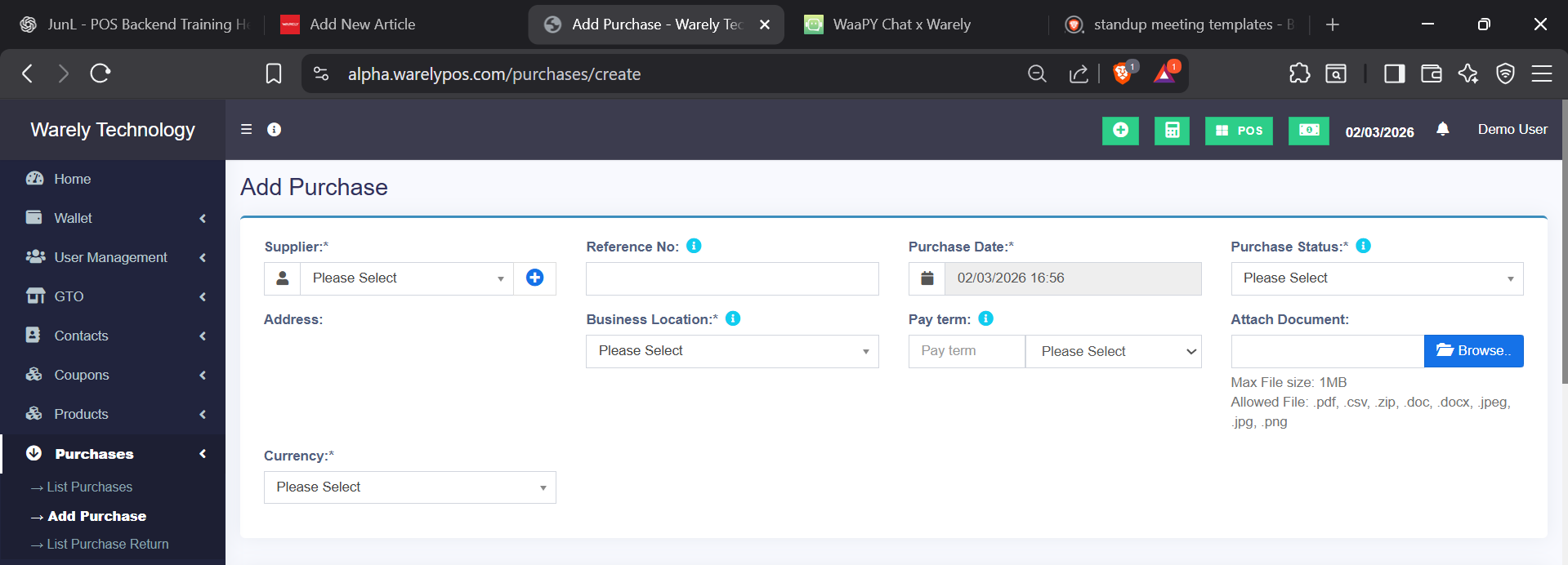

Purchases → Add Purchase
This page is used to record stock purchases from suppliers.
Required fields
-
Supplier – Who you are buying from
-
Purchase Date – Date of the purchase
-
Business Location – Where the stock will be added
-
Currency – Currency used for this purchase
-
Product, Quantity & Cost – Items being purchased
-
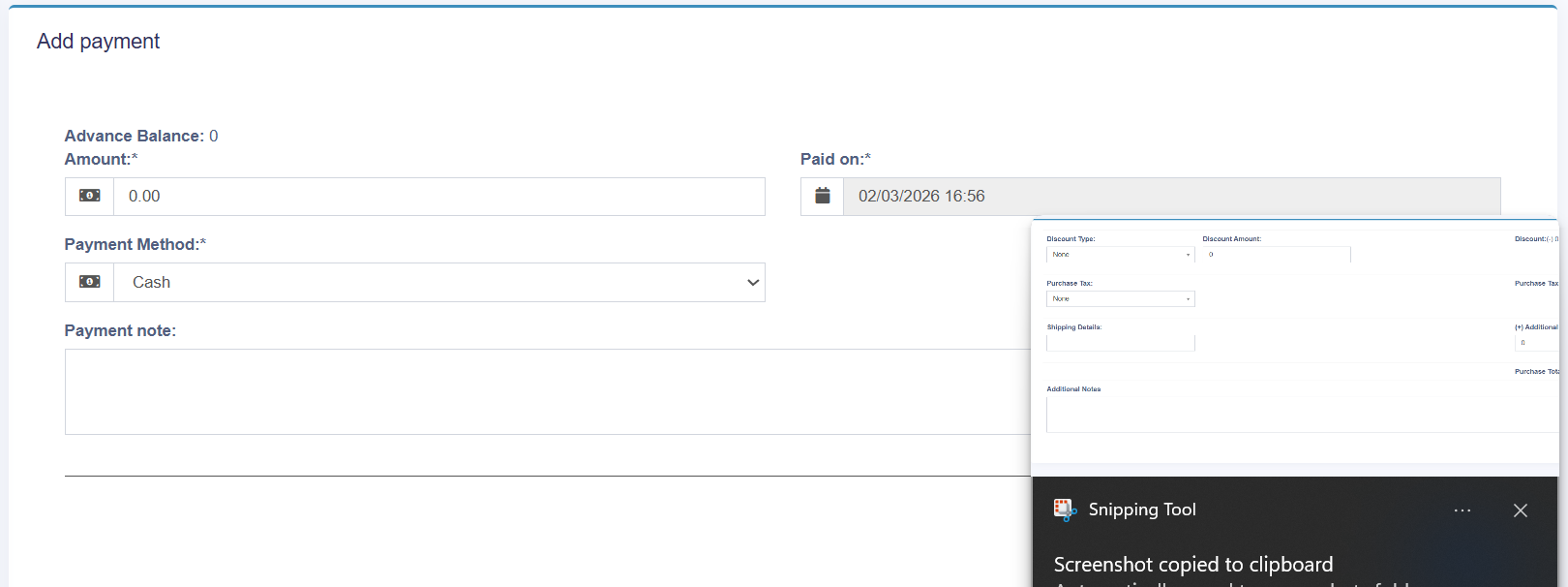
Payment Method & Amount – How the purchase is paid
Optional fields
-
Reference No – Invoice or bill number
-
Purchase Status – Draft, received, or pending
-
Pay Term – Credit terms with supplier
-
Attach Document – Upload invoice or receipt
-
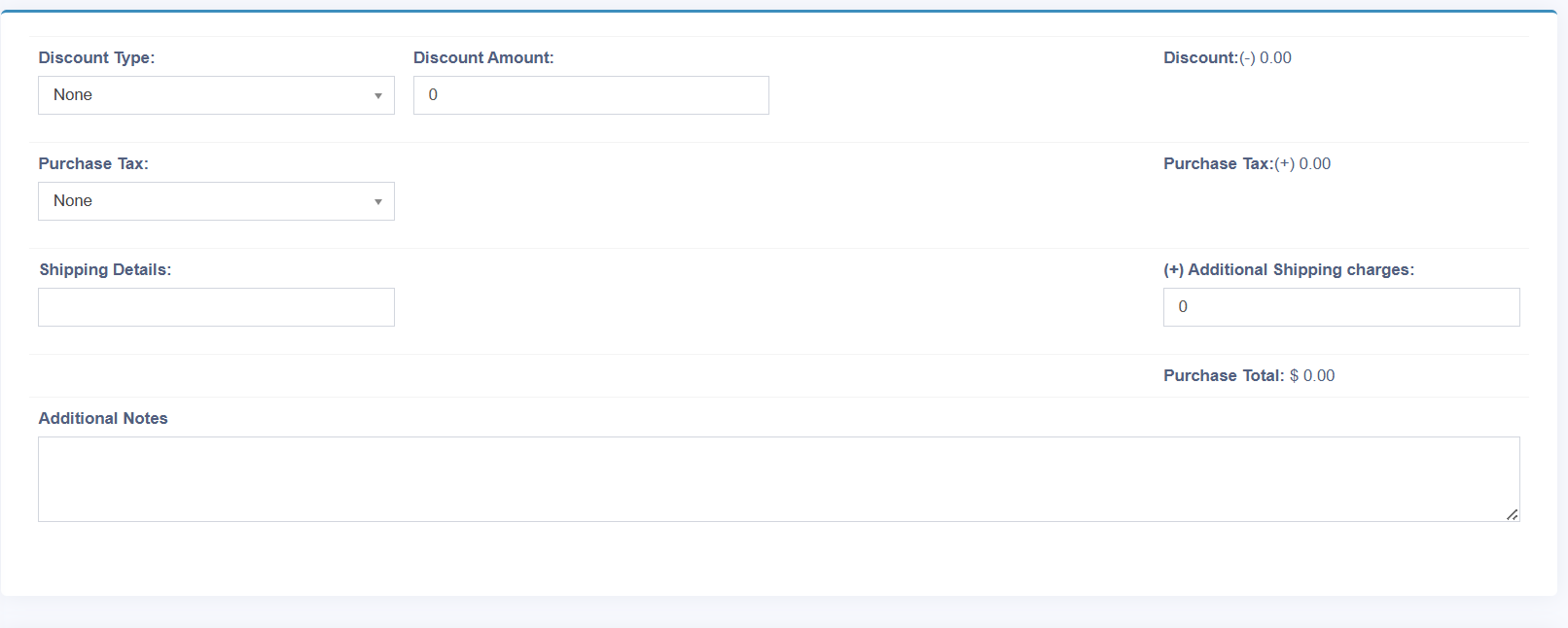
Discount / Tax – Apply purchase-level discount or tax
-
Shipping & Additional Charges – Extra costs
-
Additional Notes – Internal remarks
👉 Saving this purchase will update stock levels automatically.